Settings explorer
The settings explorer is a small proof of concept too to display and compare setting across all of our customers.
This is done through a newly added ansible file: download-settings-dump.yml
By default it target all customer servers, but can be run as small test like so:
./run-playbook.sh tasks/server-settings-dump.yml --limit jjh.co.customoffice.dk
This will create a dumps folder in the ansible folder in our github project, which will contain a single .json file for each of the servers we targeted in the execution.
The dumps folder is already in the ansible/.gitignore for that part of the codebase so there is no chance of it being pushed github.
Now we have all the current settings on all of the servers, that are in easily inject-able format, that we can use for some simple analytics. To showcase this the setting explorer have been made.
it a very simple python script that takes a HTML template and populates it with the data from the settings files. The result is simple and portable html file where we can search and compare settings for each of our customers.
An example of the code and result can be found here: Disclaimer:* When working with the files locally delete them after you are done, there is a possibility of some personal data being in the settings.
Where to find it
The code to generate the actual explorer.html is not part of the main repo codebase or any other at the time of writing. The code is preserved through this closed pr or it can be found here in our software development drive with a example explorer.html that contains all settings.
How to use it
To use the python script to update the html file is pretty simple.
python main.py
This comes with some assumptions about the path for the dump so i would recommend changing this line in the main.py to point to the local folder with .json files:
data = load_json_dir("allServerSettings/dumps")
Running it then creates a
explorer.html file which is the current state of the settings.
Just opening the html file is enough to get started, all the data is baked into it to make it portable, and it has no dependencies.
If you want to compare a subset of the settings simply point it to a folder with only the .json files you want to analyse
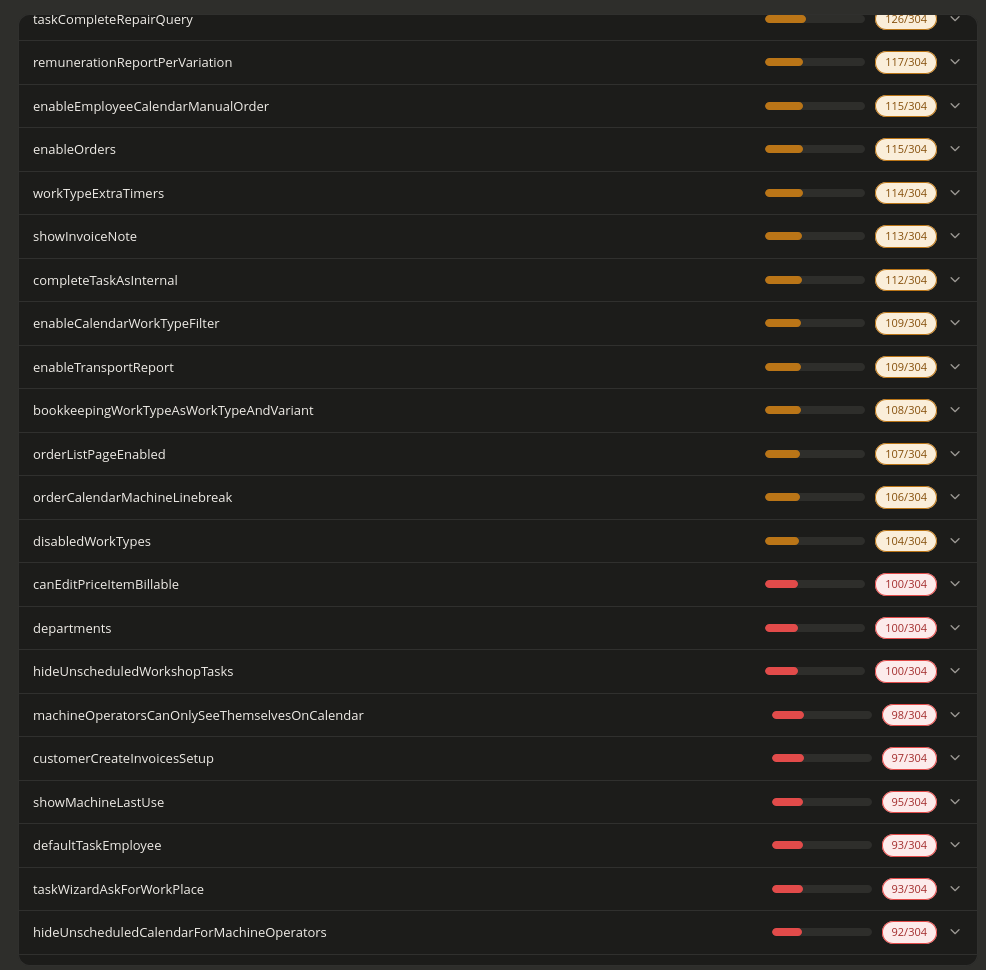
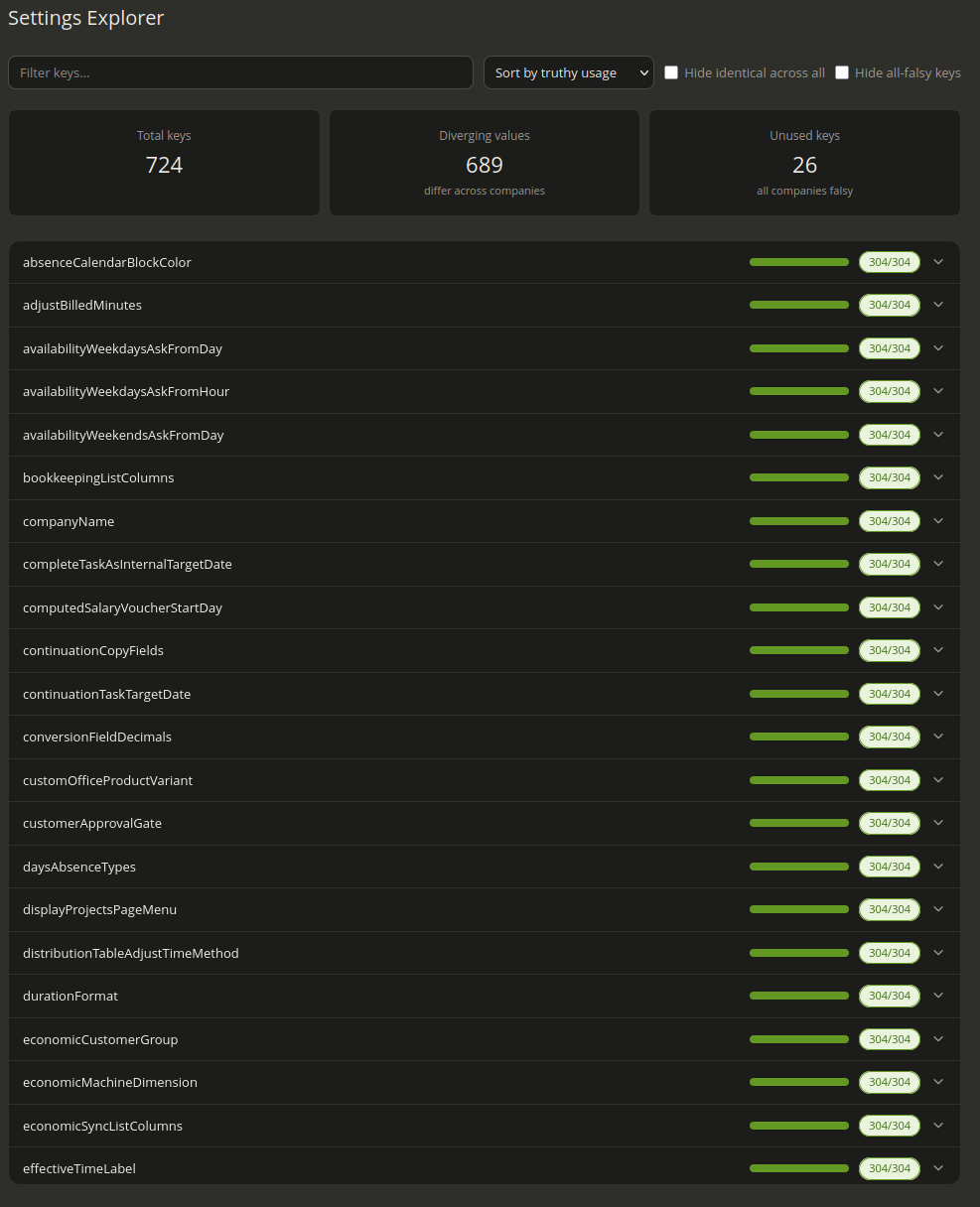
The pictures of the tool below, shows each setting that is in the system and how often it is used, usage is based on if it has a truthy value or not.
The settings can be filtered on my name and we have couple options for sorting them. - Sort by truthy usage - Sort Alphabetically - Sort by unique values - Sort by divergence
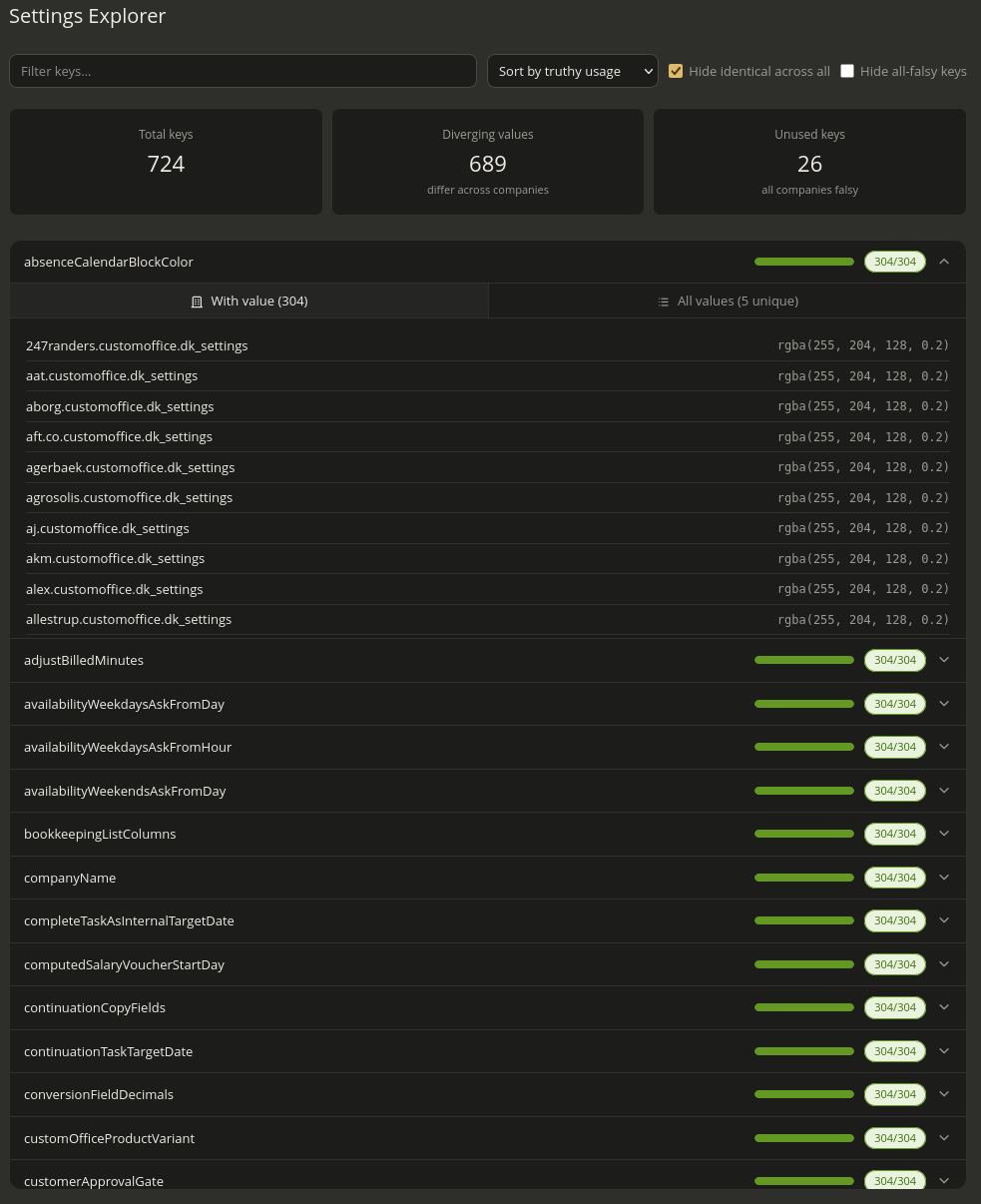
we also have the options of: - Hide identical across all(useful for comparing settings) - Hide all-falsy keys(removes unused settings)
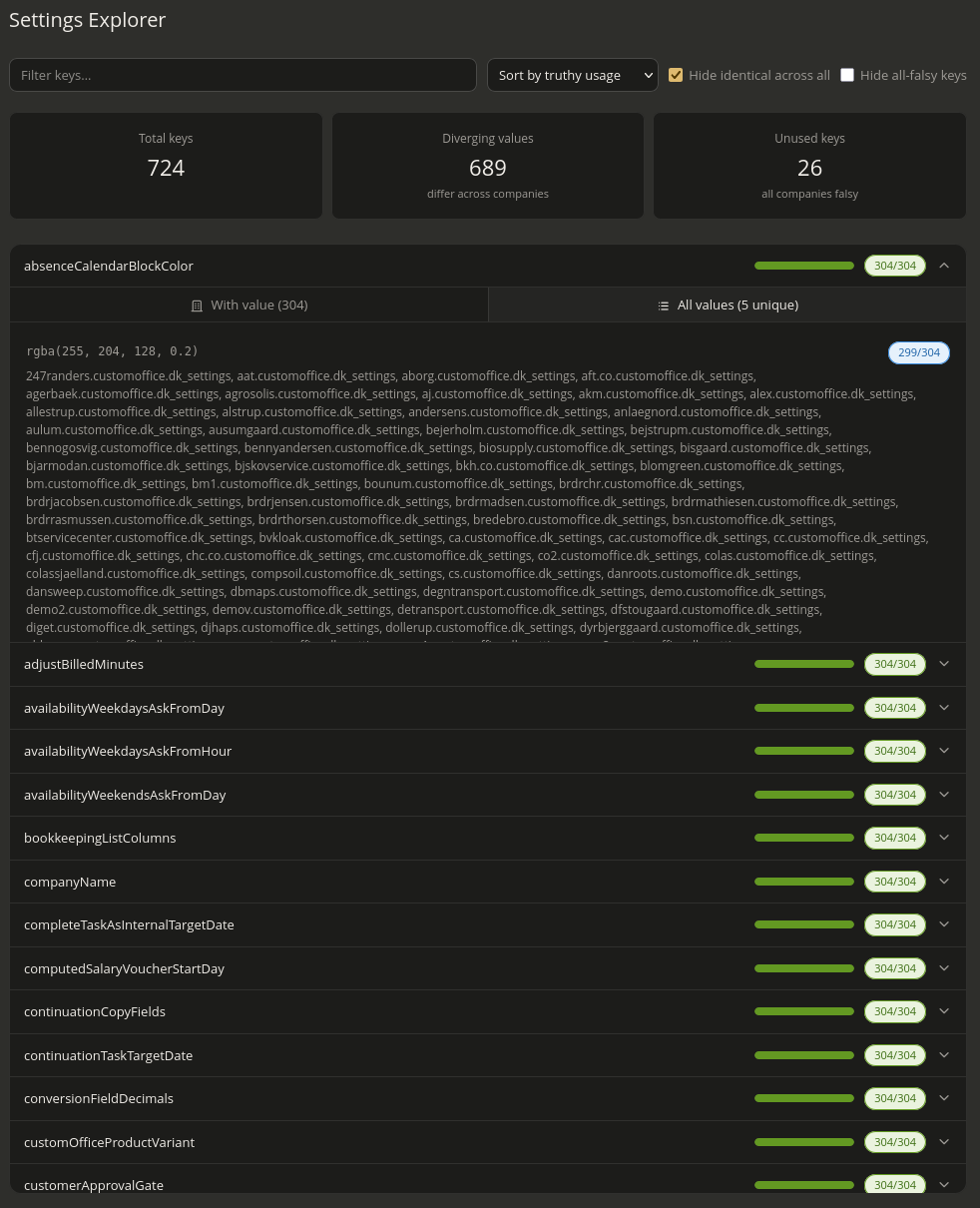
Each setting can be clicked on to show which servers have it enabled and what unique value are in use.
 The green bar are an indicator how many are using the setting it starts green -> blue -> orange -> red
Serves as a quick way to see how used a setting is.
The green bar are an indicator how many are using the setting it starts green -> blue -> orange -> red
Serves as a quick way to see how used a setting is.